
Streaming en directo con drones
Comprar ahora¿Alguna vez has pensado en emitir contenidos en streaming en directo? ¡Déjanos ayudarte! Pero, ¿qué dron es mejor para realizar streaming en directo?
Elige tu dron para realizar streaming
DJI Mini 4 Pro
Portátil, ligero, con una buena cámara y una vida de la batería adecuada, es ideal para quienes realizan streaming ocasionalmente y valoran la portabilidad.
Choosing the Right Camera Drone for Livestreaming
When selecting a camera drone for livestreaming, consider key features that impact performance and video quality.
- First, look for a drone with a gimbal-stabilized camera to ensure smooth footage; a 3-axis gimbal is ideal.
- Resolution is another critical factor—4K cameras are standard for high-quality streams.
- Flight time is also vital; aim for a drone that offers at least 20-30 minutes to avoid interruptions during your stream.
- Check for livestreaming capability; not all drones can stream directly to platforms like YouTube or Facebook.
- Consider the transmission system; a strong and reliable connection like OcuSync is preferable to maintain a steady stream.
- Finally, the drone's range should fit your broadcasting needs, ensuring you can reach the desired altitude and distance without losing the signal.

The Best Camera Drones for Livestreaming 2024
Whether you are starting your journey into aerial videography or you're a pro pilot looking to broadcast crisp footage to your audience, we’ve got your back. Let’s dive into the latest offerings from DJI—the Mini 4 Pro, Mavic 3 Pro, Mavic 3 Classic, and the Air 3—and see how they stack up.
DJI Mini 4 Pro
If you’re frequently on the move and need something that won’t weigh you down, this might be your best bet. It’s lightweight, easy to bring along anywhere in a backpack, and has a respectable camera and battery life.
However, don’t expect it to offer performance specs like its bigger brothers, it’s just not built for that. It is, in summary, a solid choice for casual streamers who prioritize portability.

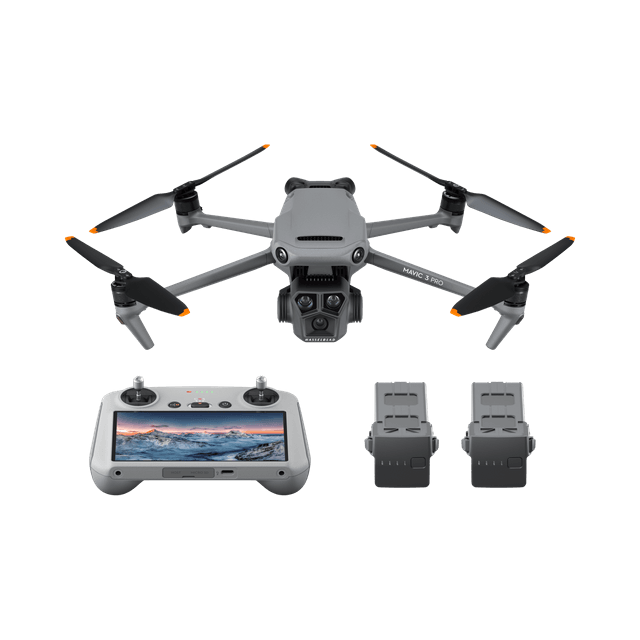
DJI Mavic 3 Pro
Una opción excelente para realizar streaming con drones, especialmente para quienes buscan vídeos cinematográficos, con la excelente calidad de imagen de Hasselblad y detección de obstáculos avanzada.

DJI Mavic 3 Classic
Mavic 3 Classic ofrece muchas de las ventajas del Mavic 3 Pro sin su sistema de triple cámara, lo que lo convierte en una alternativa más asequible aunque altamente capacitada.
DJI Air 3
Versátil y adecuado para principiantes, ofrece un equilibrio entre rendimiento y calidad de cámara, con suficiente potencia para realizar streaming en la mayoría de situaciones y una mejor resistencia al viento.

DJI Avata
Ágil y fácil de usar, con un protector de hélices integrado, es ideal para realizar streaming en directo con vista en primera persona en espacios reducidos o en interiores.
To wrap it up, your choice of drone should hinge on your specific needs.
- If portability is your priority, go Mini.
- If top-tier image quality is non-negotiable, aim for the Mavic 3 Pro. Need a cost-effective sibling to the Pro version? The Classic won't disappoint.
- Want an adaptable drone that brings a little of everything to the table? The Air 3 is your workhorse.
- If you are looking for a new angle, you should go with DJI Avata.
Remember, the best drone is the one that fits your use case and doesn't just gather likes but also meets your unique livestreaming requirements.
Must-Have Accessories for Drone Livestreaming
To upgrade your drone live streaming setup, prioritize accessories that extend operational capacity and enhance the quality of your video.
Extra batteries are a must, effectively doubling or tripling your flight time. Invest in a reliable mobile power bank for on-site charging.
Propeller guards can protect your drone during close encounters. Range extenders can prove invaluable for maintaining a strong signal when flying at greater distances.
Lastly, consider neutral density filters for your camera to manage bright outdoor conditions and prevent overexposure during daytime streams.

Setting Up Your Drone for the First Livestream
Preparing your drone for its initial livestream involves several detailed steps to ensure a successful broadcast.
- Start by fully charging all batteries and setting up your mobile device with the required streaming apps.
- Install any necessary firmware updates on your drone for optimal performance.
- Connect the drone to your device and open the drone's control app to configure the settings for live broadcasting.
- Choose the platform you want to stream to and check if the app supports direct livestreaming or if you’ll need additional software.
If necessary, pre-plan your flight path to avoid any potential obstacles and ensure a smooth stream. Perform a test flight to gauge video quality and streaming stability, making adjustments to camera settings such as white balance, exposure, and frame rate, based on the environment.
When ready, go live and monitor your stream closely, keeping an eye on the drone's battery level and signal strength.
¿Cómo conectarlos?
La mayoría de los drones se conectan a plataformas de streaming en directo mediante aplicaciones complementarias provistas por el fabricante del dron. Se requiere una conexión a internet fuerte y estable.
Para los drones DJI, depende del tipo de control remoto que uses.
DJI RC 2
No permite instalar aplicaciones de terceros para realizar streaming en directo. Permite streaming en directo RTMP en la aplicación DJI Fly.


DJI Goggles 2 y DJI Goggles Integra
Permiten emitir streaming en directo de la vista de cámara de DJI Avata en tiempo real usando la aplicación DJI Fly o DJI RC Pro.

Device: DJI Air 2S | Aperture: f/2.8 | Exposure: 2s | ISO: 400 | Filter: ND 4