


Osmo Mobile 6 Slate Gray
Colors
Take a Closer Look
Lossless Stabilization
Capture smooth, on-the-move creations that impress and wow. DJI’s advanced stabilization technology puts shake-free results at your fingertips.

Unlock More Shooting Angles
Extends up to 215 mm for high or low shots. The built-in extension rod allows you to include more friends, pets, and landscape in your selfies.

Quick Launch, No More Hassles
Unfold the gimbal to power on. Connect magnetically, and start shooting as soon as inspiration strikes.
![Fully Upgraded Tracking With ActiveTrack [3]](//se-cdn.djiits.com/tpc/uploads/core_selling_point/image/2e6bf69e9cd98706d9a84070547d3f28@origin.jpg)
Fully Upgraded Tracking With ActiveTrack [3]
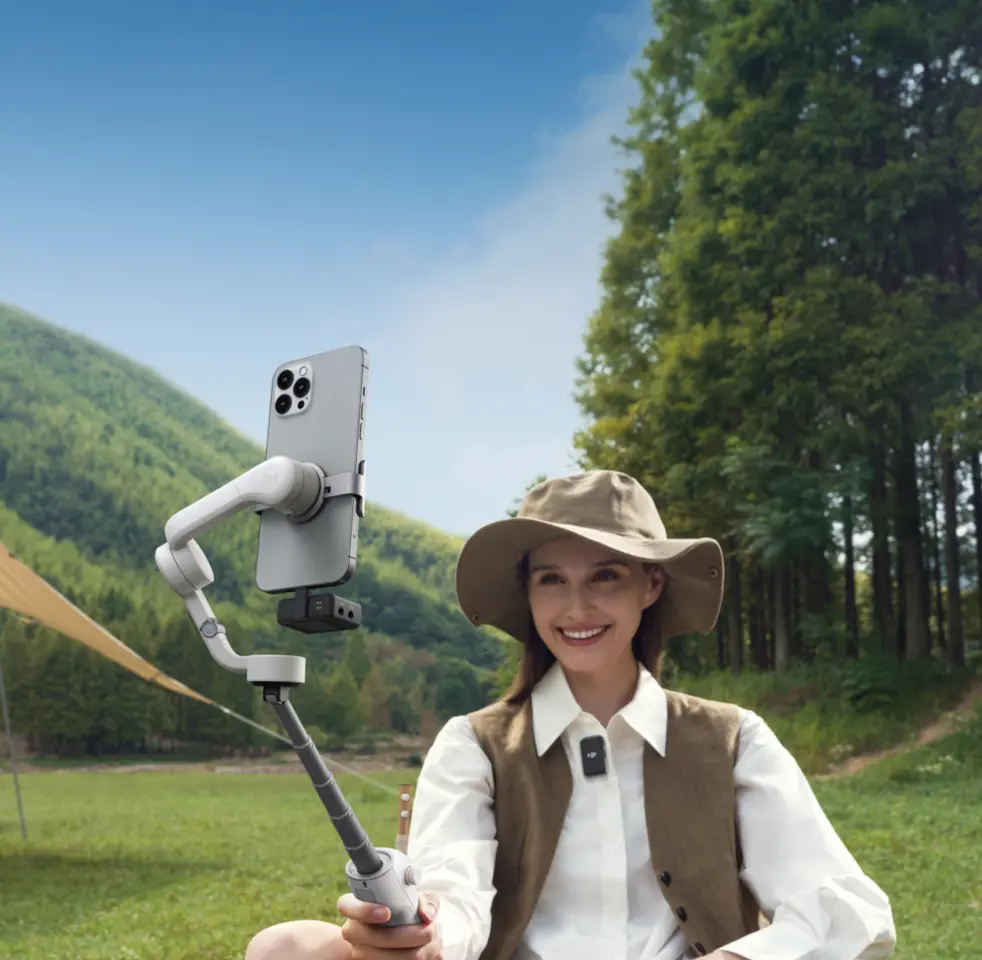
Osmo Mobile 6 can follow a subject reliably while on the move. If the subject leaves the frame, the gimbal can find and follow the subject again through automatic zooming. [1]

Tutorials and One-Tap Editing
Effortlessly shoot and edit with DJI Mimo and LightCut. And get a recommended shot sequence and tutorial based on your content with ShotGuides.
Remote Control With Watch
After installing the DJI Mimo app on your Apple Watch, [2] you can not only remotely view camera feeds from your watch but also adjust the gimbal's angle, take photos, or record videos.

![Fully Upgraded Tracking With ActiveTrack [3]](https://se-cdn.djiits.com/tpc/uploads/core_selling_point/image/2e6bf69e9cd98706d9a84070547d3f28.webp)

In the Box

Osmo Mobile 6
× 1

DJI OM Magnetic Phone Clamp 3
× 1

Grip Tripod
× 1

Power Cable
× 1

Storage Pouch
× 1


Which is the Best for You?

Let’s Answer Your Questions
How is Osmo Mobile 6 upgraded compared with DJI OM 5?
What’s great about LightCut? I’m a beginner, is it easier to create videos when using Osmo Mobile 6 with the LightCut app?
What phones are supported by Osmo Mobile 6?
What is the magnetic force of Osmo Mobile 6? Is it strong enough to securely fix my phone to the gimbal?
Can I use Osmo Mobile 6 instantly when it’s attached to the phone? Does Osmo Mobile 6 require balancing before use?
Can I use a phone case when attaching my smartphone to the Magnetic Phone Clamp?
What’s great about the built-in extension rod of Osmo Mobile 6? What’s the max extension length?
What improvements does ActiveTrack 6.0 have compared with the previous version?
In addition to Osmo Mobile 6 (Platinum Gray), what other products can be upgraded to ActiveTrack 6.0?
What Timelapse modes are supported by Osmo Mobile 6? In what scenarios do I use them, respectively?
Still have questions? Get help from a DJI expert.
1. For the zoom ratios of each device, refer to the compatibility list. If the subject is out of the frame after zooming, tracking may stop.
2. Currently, only Apple Watch is supported. For compatible Apple Watch models and app instructions, check the FAQ section.
3. ActiveTrack is only available within the DJI Mimo app and can be updated to the latest version via the app.